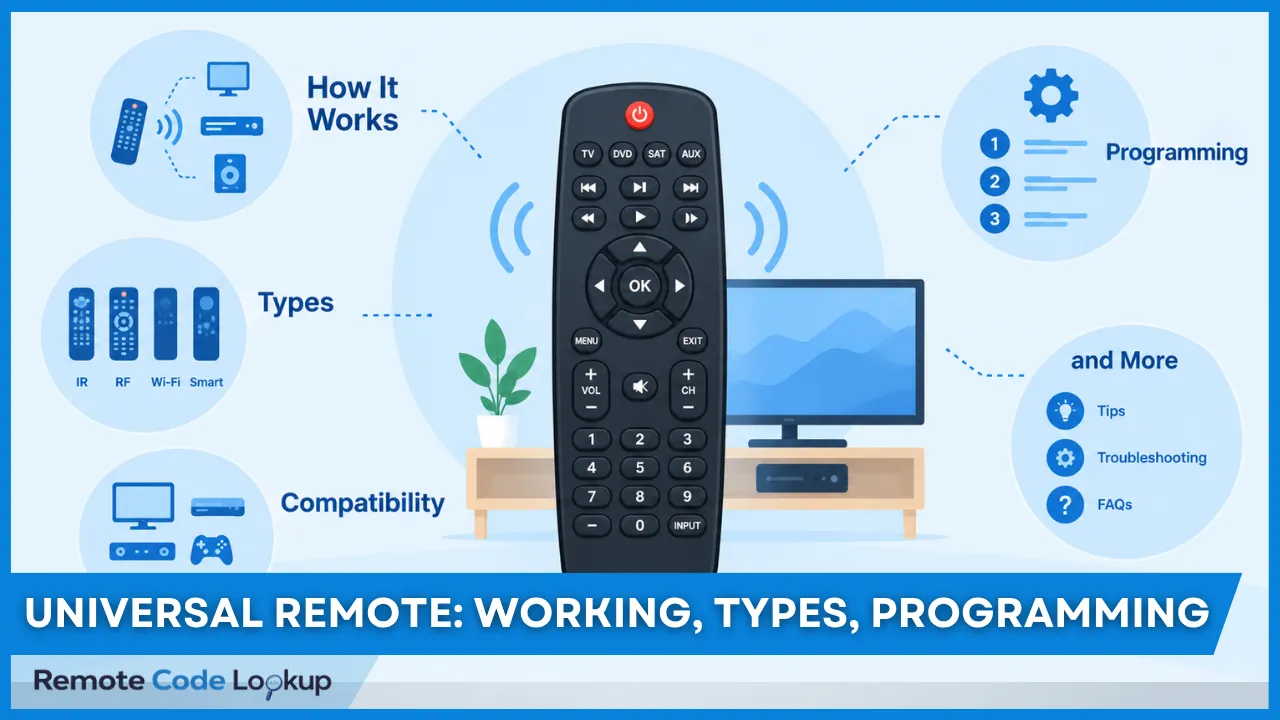
A universal remote, also known as a multi-device remote or multi-brand remote, refers to an all-in-one remote control that operates multiple consumer electronics devices of various manufacturers and brands.
A universal remote control significantly reduces remote-clutter and simplifies home entertainment and smart home setups. It replaces multiple original (single-brand) remotes of various devices by consolidating the control into a single remote, eliminating the need for separate remotes for each device.
A universal remote reproduces the command signals of multiple original device remotes to operate their respective devices. Most universal remotes use infrared (IR) signals, while some use radio frequency (RF), Bluetooth, or Wi-Fi, depending on the remote type and device. Common universal remote types include multi-brand (pre-programmed) remotes, learning remotes, voice-based remotes, hub-based smart universal remotes, and app-based universal remotes, offering compatibility with a wide range of electronic and smart devices.
To establish this compatibility, most universal remotes need to be programmed or set up for the devices they are intended to control. While some universal remotes directly work with select devices out of the box, some others (programmable universal remotes) need to be programmed using remote codes (setup codes), infrared code learning, or an accompanying app to ensure proper communication with the target devices.
Once programmed and set up, universal remotes can simplify control of multiple devices, reduce the need for separate remotes, and provide greater convenience and customization. However, their device compatibility, programming requirements, and access to device-specific features can vary, which limit their functionality in some setups.
What Is a Universal Remote?
A universal remote is a pre-programmed or programmable remote control that operates multiple consumer electronics devices, such as televisions, DVD players, and streaming boxes, from different manufacturers and brands. It controls not only audio-visual equipment but also home appliances, such as air conditioners and ceiling fans, and smart home devices, such as smart lights, thermostats, speakers, and other connected devices.
Universal remotes are available as standalone handheld devices, such as GE, One For All, and Sofabaton universal remotes, and are also bundled and supplied with set-top boxes, such as cable boxes and satellite receivers. These bundled remotes have universal control capabilities that allow them to operate connected TVs and other home entertainment devices.
Universal remote controls are also used as replacement remotes for devices whose original remotes are damaged, missing, or malfunctioning. Universal remotes are often referred to in the market by terms such as “universal TV remotes,” “universal AC remotes,” and similar product names. They provide a convenient alternative to purchasing an exact replacement from the original manufacturer and can often be programmed to perform the same functions as the original remote.
Furthermore, universal remotes such as Logitech Harmony and SwitchBot Hub are available with advanced features such as voice control, sleep timers, and touchscreens. Specialized remotes, such as the Flipper Big-Button Remote and Jumbo Universal Remote, feature large buttons designed for elderly users and people with low vision, making them easier to operate.
How Is a Universal Remote Different From a Regular Remote?
A universal remote differs from a regular remote in the number and variety of devices it can control. A regular remote, or OEM (Original Equipment Manufacturer) remote operates a particular device or a series of devices from a particular manufacturer, with buttons and functions tailored to that device. An OEM remote is generally designed around the device’s specific command set, interface, and supported functions, which can provide direct access to manufacturer-specific features.
A universal remote, unlike a regular remote, can be programmed to control multiple devices from different manufacturers, such as televisions, audio systems, and compatible smart home devices, using a single remote. For example, a smart TVs original remote only sends commands recognized and executed by that TV, whereas a universal remote can be programmed to send the appropriate commands for a TV, soundbar, streaming box and other devices from different manufacturers.
How Do You Know Whether Your Remote Is Universal?
To know whether your remote is universal, look for multiple device buttons such as TV, DVD, SAT, AUX, etc. along with a “Setup”, “Magic” or similar programming button. Dedicated device-mode buttons and programmable controls are common indicators that a remote can be configured for more than one type of device. You can also check the remote’s labels, model number, packaging, or user manual for terms such as “universal,” “multi-brand,” “programmable”, or ”multi-device.” If the remote comes with a code list containing codes for different device brands and models, this confirms that your remote is universal. The manufacturer’s product page or support documentation can also be used to verify the remote’s supported device types and compatible brands.
How Does a Universal Remote Work?
A universal remote works by storing a vast library of command codes and signal patterns corresponding to different devices, brands, and models, then transmitting the appropriate command when a button is pressed. Each device mode, such as TV, DVD, SAT, and AUX, is configured with the relevant codes through a pre-programmed code database, a manually entered device code, or IR code learning from an original remote.
When a button is pressed, the remote retrieves the corresponding code and converts it into the appropriate signal pattern for the selected device. In traditional IR remotes, commands are transmitted as coded pulses of infrared light by an infrared transmitter (IR blaster), with their timing, duration, or pattern representing specific data. The receiving device detects and decodes the transmitted command before executing the corresponding function. The target device receives and interprets the signal to perform the requested action, such as changing the channel, adjusting the volume, or turning the device on or off.
Because different brands and even different models from the same manufacturer may use different command protocols, universal remotes store a large collection of codes and signal patterns. Some models can also learn commands directly from an original remote, while others can download or update their code libraries through a computer, app, or connected service, allowing support for newer or previously unsupported devices. This combination of stored command information, signal transmission, and device-specific protocols allows one remote to operate multiple compatible devices.
What Communication Technologies Do Universal Remotes Use?
Universal remotes communicate with devices using wireless technologies such as infrared (IR), radio frequency (RF), Bluetooth, or Wi-Fi, depending on the remote and the devices it supports. IR is common in traditional remotes and generally requires a clear line of sight, while RF and Bluetooth can control compatible devices without direct line of sight. RF remotes typically communicate directly with compatible receivers, whereas Bluetooth remotes establish a paired connection with supported devices. Wi-Fi enables network-based control of smart TVs, streaming devices, media systems, and other smart-home products and can support features such as mobile-app control, device status feedback, multi-room control, and integration with hubs and home-automation platforms. Some Wi-Fi-based systems use a hub or bridge to translate commands between the remote system and connected devices. These technologies determine a remote’s device compatibility, operating range, and available control functions.
What Is the Operating Range of a Universal Remote?
The operating range of a universal remote is approximately 15–30 feet (4.5–9 meters) for standard infrared (IR) remotes and extends to about 40–100 feet (12–30 meters) for radio frequency (RF), Bluetooth, and Wi-Fi remotes. The operating range refers to the maximum distance over which a remote can successfully transmit signals to control electronic devices.
For most home entertainment applications, a practical range of approximately 20–30 feet is sufficient to control devices across a typical room, while some models provide substantially greater coverage. The manufacturer’s specified operating range represents the maximum distance measured under particular testing conditions.
The effective operating range is affected by distance, walls, furniture, room layout, signal obstruction, electromagnetic interference, receiver placement, and the orientation of the remote. As these conditions vary between environments, the actual usable distance can be lower than the maximum advertised range. The reliability of commands can also decrease as the remote approaches the limits of its effective range, potentially requiring the remote to be repositioned or brought closer to the controlled device.
What Are the Different Types of Universal Remotes?
The different types of universal remotes are pre-programmed (multi-brand) remotes, learning remotes, voice-controlled remotes, hub-based remotes and app-based universal remotes. These types differ mainly in how they are programmed, communicate with devices and provide user control.
- Pre-programmed (Multi-brand) Remotes: These remotes contain a built-in database of device code (manufacturer codes) for different brands and devices. The user enters or selects the appropriate code for the device, either manually or through an automatic code search function on the remote.
- Learning Remotes: Learning universal remotes are the remotes that learn commands from an existing original device remote. They are pre-programmed universal remotes with an additional capability of learning infrared codes from another remote. They are particularly useful when the target device’s device codes are not available in the built-in code database.
- Voice-controlled Remotes: Voice-controlled remotes operate devices using voice commands. These remotes are commonly integrated with smart home platforms and use a smart speaker, or hub to translate voice commands into device-control signals.
- Hub-based Remotes: Hub-based universal remotes use a central hub to communicate with multiple smart home and home entertainment devices. The hub supports several communication technologies, such as IR, RF, Bluetooth and Wi-Fi, allowing devices using different technologies to be controlled through one system.
- App-based Remotes: App-based universal remotes, also known as universal remote apps, use a smartphone or tablet as the control interface. The app communicates with devices through technologies such as IR, RF, Bluetooth, Wi-Fi or a connected hub. They provide touchscreen controls, device profiles, and customized interfaces for the user.
The universal remote types given above are not mutually exclusive and can overlap, a remote can combine multiple features and technologies. For example, a remote can be pre-programmed, RF/Bluetooth based, learning, and hub-based at the same time.
What Are the Most Popular Universal Remote Brands?
The most popular universal remotes brands are GE (General Electric), RCA, One For All, Philips, and Sofabaton, with each brand offering universal remote controls for different types of consumer electronics. One For All is a brand operated by Universal Electronics Inc. (UEI), a major developer and manufacturer of universal remote control technology. UEI reports that more than 1 million universal remotes equipped with its technology are sold worldwide each week, equivalent to more than 52 million units annually.
Logitech Harmony was also once a leading brand in the universal remote market. However, Logitech discontinued production of new Harmony universal remotes in April 2021, ending one of the best-known product lines for advanced multi-device home entertainment control.
What Devices Are Compatible With a Universal Remote?
Universal remotes are compatible with a wide range of home entertainment devices, consumer electronics, and smart home devices, although the exact compatibility depends on the remote model and the device. The most commonly compatible device categories are listed below.
- Televisions: Most major and minor TV brands (Samsung, LG, Sony, Vizio, TCL, Panasonic, etc.)
- Video Sources: Blu-ray and DVD players, cable or satellite boxes, DVRs, and VCRs.
- Audio Equipment: Soundbars, AV receivers, stereo receivers, amplifiers and home theater systems.
- Streaming Players: Devices like Apple TV, Roku boxes, and digital media adapters.
- Gaming Consoles: Xbox Series X/S, Xbox One (compatible via IR codes and HDMI-CEC), PlayStation 5 & PlayStation 4 (via HDMI-CEC), etc.
- Smart Home Devices: Advanced hubs, smart lights, smart plugs, and climate control systems (on Wi-Fi or hub-based remotes).
Do Universal Remotes Work With All TV Brands?
No, universal remotes do not work with every single TV brand or model, though they are compatible with the vast majority of major and minor brands. Most modern universal remotes, including models from GE and One For All come with extensive pre-programmed code databases that support thousands of devices from brands such as Samsung, LG, Sony, and Vizio. Compatibility is determined at the device-model level, so support for one TV from a brand does not necessarily mean that every TV from the same manufacturer supports every universal remote.
Some old CRT TVs, rare, or specialized TVs are not compatible because they use non-standard IR signals or proprietary RF signals. In such cases, advanced universal remotes with IR learning can sometimes copy signals directly from the original remote. However, learning cannot guarantee compatibility when the television uses a control technology that the universal remote itself does not support.
Do Universal Remotes Work With Smart TVs?
Yes, universal remotes work with many smart TVs including Samsung, LG, Sony, TCL, Vizio, and other major brands, but the level of control varies between TV models and remote systems. Basic functions such as power, volume, mute, channel selection, and input switching are commonly supported, while advanced smart-TV functions may have more limited compatibility. Features such as launching streaming applications, navigating smart-TV interfaces, voice search, voice control, and manufacturer-specific shortcuts may require additional compatibility with the television’s control system.
Some smart TVs use Bluetooth or other wireless connections for functions that are not available through conventional infrared commands. As a result, an IR-only universal remote may provide basic television control without reproducing every function of the original smart-TV remote. Proprietary features, such as the cursor-based LG Magic Remote interface and certain manufacturer-specific smart controls, may require the original remote or a compatible specialized replacement. The extent of smart-TV control therefore depends on the TV model, universal remote model, supported command set, and available smart-TV integration.
Can Universal Remotes Control Streaming Devices?
Yes, some universal remotes can control streaming devices, including Apple TV, Xbox One, Xbox 360, Nvidia Shield, Roku devices, and Amazon Fire TV devices, but compatibility varies by the specific universal remote and streaming-device model. For example, the Inteset INT-422 is designed to support several streaming and entertainment devices, including Apple TV, Xbox One, Xbox 360, Nvidia Shield, and selected Roku and Amazon Fire TV devices. The extent of control can also vary, with some universal remotes supporting basic navigation, playback, volume, and power functions while not supporting every function available on the streaming device’s original remote.
Streaming-device compatibility depends partly on the control interface used by the specific device. Some streaming devices and accessories use wireless communication methods that are not supported by basic IR-only universal remotes. For example, Roku Streaming Sticks and certain Amazon Fire TV Stick configurations may require compatible RF, Bluetooth, or an external IR receiver rather than direct IR control. The IReTV IR receiver, for example, can provide an IR-control interface for compatible Amazon Fire TV devices. Therefore, compatibility is evaluated for the specific streaming-device model, universal remote, and supported command functions rather than for the brand alone.
How Do You Check Device Compatibility With A Universal Remote?
You can check your device’s compatibility with a universal remote by identifying its brand, device type, and exact model number and comparing this information with the remote manufacturer’s code list or code database. Compatibility should be checked at the model level because support can vary between devices from the same brand, and a compatible device may not support every function of its original remote.
Below are the general steps to check device compatibility.
- Find the device brand and type: Identify the manufacturer and device category, such as a TV, Blu-ray player, soundbar, AV receiver, cable box, streaming device, or gaming console.
- Locate the model number: Check the product label, rear or underside of the device, packaging, or on-screen settings. Smart devices commonly show this information under “About,” “System Information,” or “Device Information.”
- Check the remote’s compatibility list: Use the remote’s user manual, code list, manufacturer’s support page, or online code finder to determine whether the specific device model is supported.
- Verify the required control method: Confirm that the remote supports the control method required by the device and the functions you want to use, such as IR, Bluetooth, RF, or HDMI-CEC.
- Try auto-search or code search: If the exact model is not listed, use the remote’s automatic or manual code-search function to test available codes. After finding a responsive code, test the functions you need, such as power, volume, input, navigation, or playback.
- Use IR learning when applicable: If the device is not listed but uses compatible IR commands, an IR-learning universal remote may be able to reproduce commands from the original remote. This can extend compatibility, although proprietary functions may remain unsupported.
How Do You Program a Universal Remote?
You can program a universal remote using several methods, including direct code entry, auto code search, brand code search, manual code search, IR learning, PC configuration, and app-based programming. The method that works for you depends on your remote model, your device type, and which programming features your remote supports.
Direct code entry involves entering the specific code assigned to your device manufacturer and model. Auto code search cycles through the remote’s stored codes automatically until it finds a compatible one. Brand code search does the same thing but only within the codes tied to a specific manufacturer. Manual code search allows you to cycle through available codes and test them until the device responds correctly. IR learning copies commands directly from the original remote when a compatible code is not available. PC configuration allows compatible remotes to be programmed, customized, or updated through computer software. App-based programming make the process much easier by guiding you through an interactive app interface.
For detailed step-by-step instructions on how to program a universal remote, including direct code entry, auto code search, brand code search, manual code search, IR learning, and PC configuration, see our dedicated programming guide. One of these methods depends on entering the correct remote code, so getting the right one is usually your first step.
How Do You Get the Remote Codes for Programming?
You can get your remote codes by checking the code list provided with your remote’s user manual, looking it up in the manufacturer’s online code lookup tool, or using dedicated universal remote code lookup tools like ours to get the compatible codes for your exact brand and model in one place.
Keep in mind that the code is not always the same across a manufacturer’s entire device lineup. Different models from the same brand often use different codes, which is why programming can fail even when you have entered the correct brand. For the full breakdown of code types and how to use them for programming, see our dedicated guide to universal remote codes.
What Are the Benefits of Using a Universal Remote?
The key benefits of using a universal remote control include the following.
- Consolidated Control: Combines the controls of multiple remotes into a single remote.
- Reduced Clutter: Eliminates the need for multiple remotes for multiple devices.
- Simplified Control (Macros): Enables complex actions like turning on TV, sound system, and cable box simultaneously with a single button press.
- Smart Home Integration: Advanced remotes can control smart home devices such as lights, shades, and thermostats.
- Reliable Replacement Utility: Offers a functional alternative if the original OEM remote is damaged or lost.
- Customization: Offers the ability to program specific activities (eg., “Watch Movie”) and re-assign buttons to preferred functions.
- Cost Savings: Saves on battery expenses over time.
What Are the Limitations of Universal Remotes?
The major limitations of universal remotes include the following.
- Time-Consuming Setup: Programming a universal remote, especially for multiple devices or activities, can take longer than using a device’s original remote right out of the box.
- Limited Device Compatibility: Some older, obscure, or proprietary devices may not be supported by a universal remote’s code database.
- Missing Manufacturer-Specific Features: Even when a universal remote successfully controls a device, certain manufacturer-specific functions, such as smart TV shortcuts or app-specific buttons, may remain unavailable.
- Steep Learning Curve: Remotes with macro programming, activity setup, or smart home integration can be less intuitive for users unfamiliar with the setup process.
- Outdated Firmware Risk: Cheaper or older universal remotes may not receive software updates, so they can lose compatibility with newly released devices over time.